
Crunching images to get blog pages loading faster for free
This is a short post to look at the general load profile of a Ghost page, and to crunch some images to see the performance effect.


As a long time user of Wordpress, I've spent hours staring at web speed breakdowns, lamenting painful 10-second plus load times. Ghost V2 now shows great promise. This is a short post to look at the general load profile of a Ghost page and crunch some images to see the performance effect. In this case, the images are screen dumps and the like, so high resolution is not a priority.
The load profile before optimising images
I have long been a fan of WebPageTest to give a breakdown of the load speeds of a page. It's especially enlightening when checking out very heavy loader sites. Thankfully Ghost is in a good state out of the box, one of it's key advantages over Wordpress.
This test is a page load from the post "Making basic graphics in Gimp for a new Ghost blog.. or any blog". For testing, it has a core image loaded directly as it comes from UnSplash, and a series of small screen shot dumps. I've run it from a California based EC2 which should be minimal latency from the Oregon AWS web host I am using.
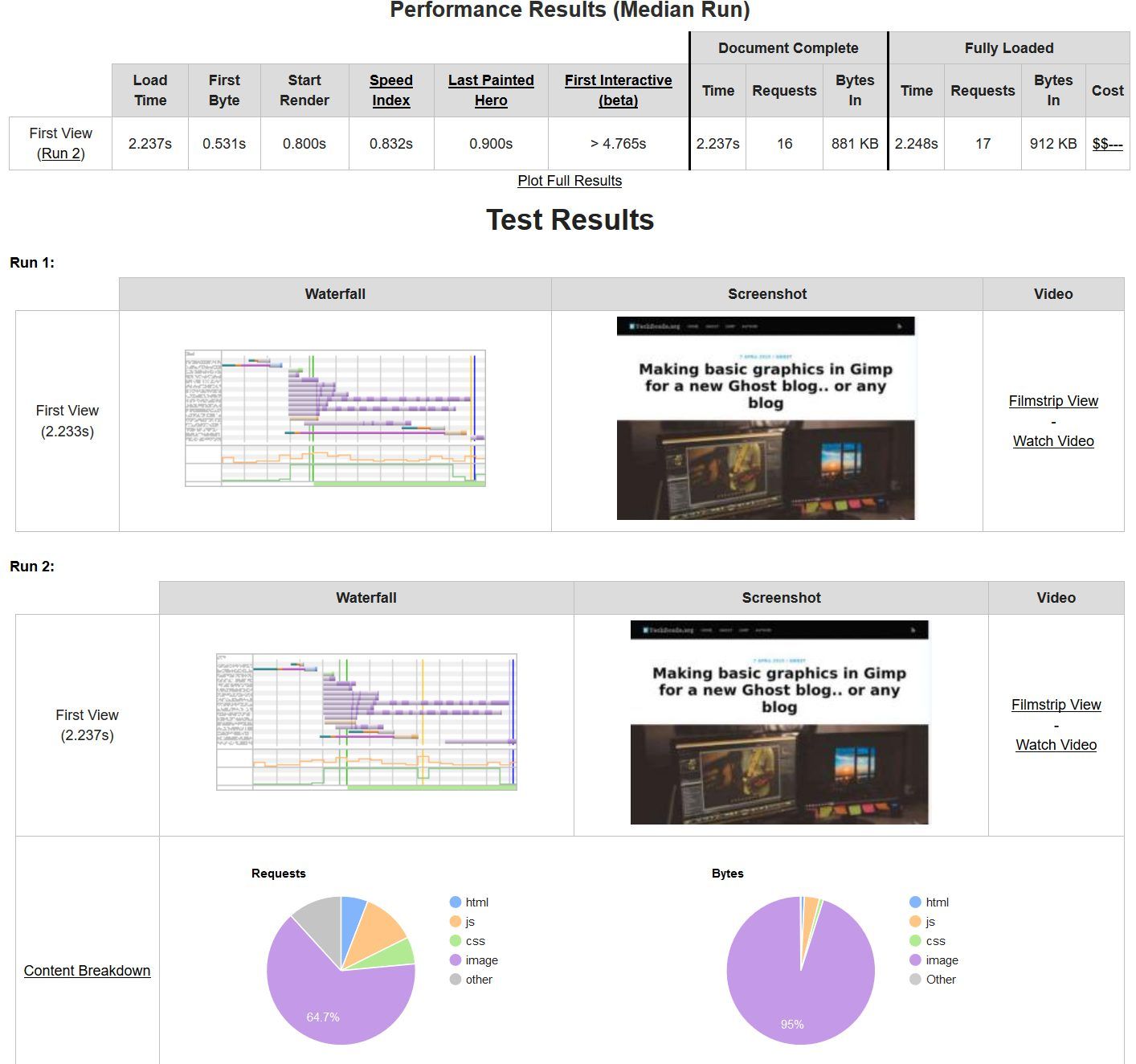
The page has loaded in 2.2 seconds, with hardly any image tweaking. A real testament to the Ghost platform. But we can do better! A few of those purple lines show some of our images are a bit fat. For small images, there should be no reason to have any one image that is above 100KB.
Looking closer at the output, I find that my howto screen shots 3 and 5 are both over 300KB each.
Crunch those images
Since I left the Creative Cloud goodness of Photoshop, I stumbled upon the quirky and venerable IrfanView. Using this, I can both resize and crunch the images.
Using the "save for web" plugin, I resize image 3 from 325 to 42KB, and image 5 from 318 to 43KB. As you can see, even when zoomed in there is not much quality reduction in return for a huge size reduction.

I upload the replacement two images.
The load profile after optimising the images
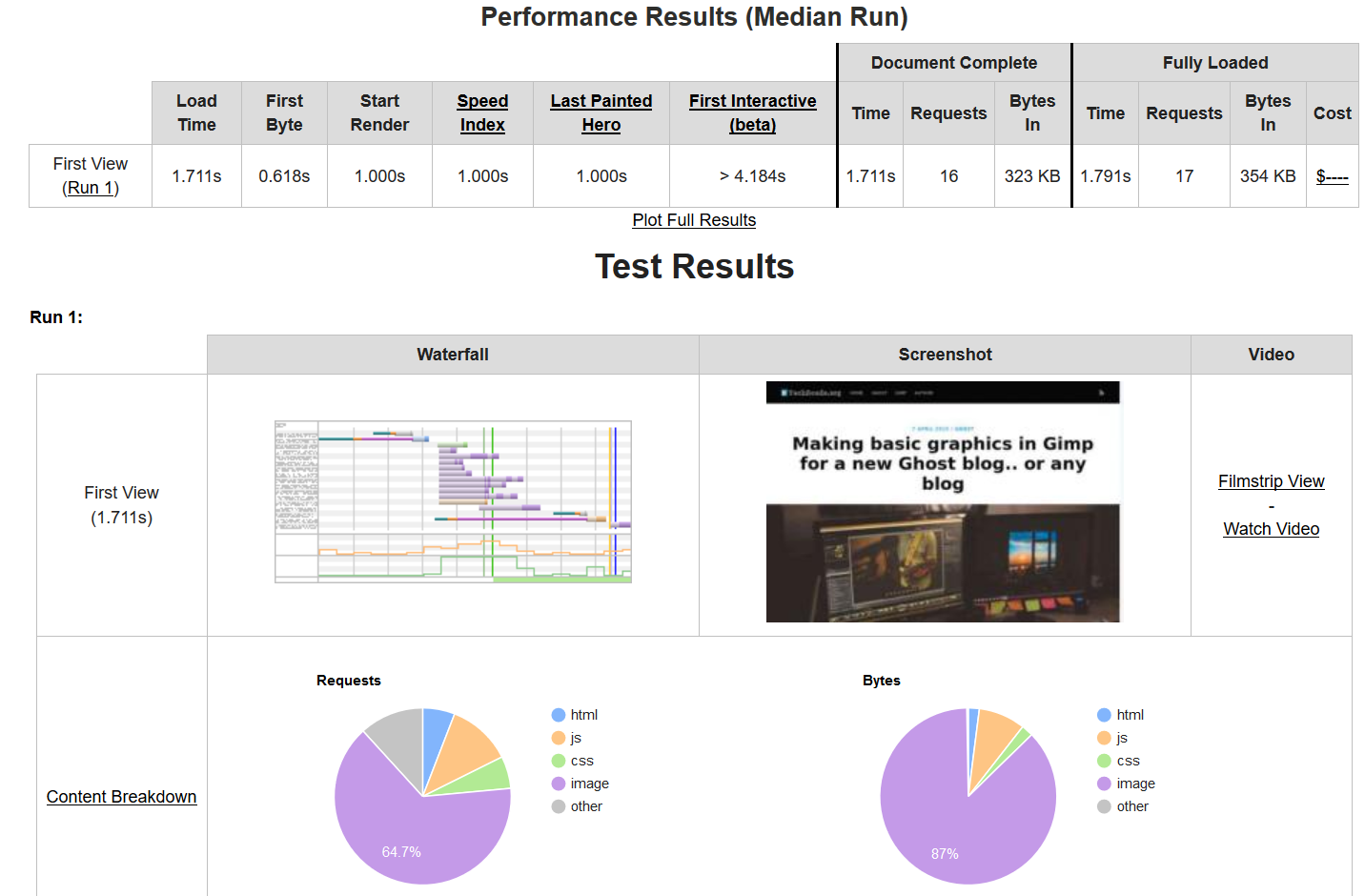
As the core image is already optimised by Ghost natively (3MB+ down to 73KB) my total page load is a lean 354KB loading in a speedy 1.79 seconds. I am sure in time this will creep up as I add bits of code for interfaces to other services (such as analytics) but for now, superb!
Main photo by Christian EM on Unsplash
Retrospective blog post to use BlueSky for comments: techroads.org/crunching-im...
— TechRoads blog (@techroads.org) Feb 22, 2024 at 11:23 am
[image or embed]