
Two seagulls fighting over a piece of toast - Stability AI evaluation
I'm on a mission to find an AI for video production that can be used in an ethical way. By ethical, I mean one with bring-your-own media. This time, I'm trying Stability AI.

I'm on a mission to find an AI for video production that can be used in an ethical way. By ethical, I mean one with bring-your-own media.
The two big problems I have with "text to image" or text to video are that 1 - you have no audit trail over where the source material comes from, meaning it could be stolen, and 2 - generative AI is rife with discriminative bias.
I'll be searching for an AI tool and workflow, which should be able to:
- Provide an image or video and refactor it with a consistent look
- Compose the shots as I wish, positioning all the elements and dictating camera framing
- Bonus - if I can feed in a storyboard sketch as a guide for shot compostion
A lot of the AI tools I have evaluated so far have been fixated on generative, either from text or altering supplied images. And their shot composition has been poor. This is great for consumers but I doubt they will have much luck breaking in with real film studio clients.
I'll be creating a video the same as my other evaluations, providing images for two seagulls, some toast, and a warehouse wall. Then having the two seagulls fight over the toast.
I won't be looking at audio, character import, lip sync, titles, or any of the hundred other things needed to make film or TV. Just the core functionality.
Stability AI
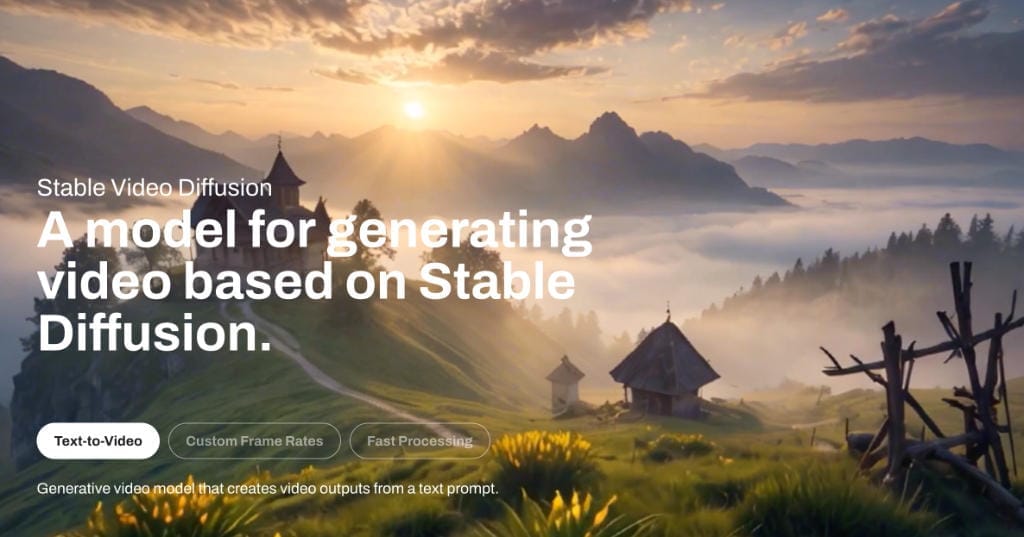
This time it's Stability AI. Scanning the web site it seems to have grown out of image generation, but video is firmly in there. On paper there are a lot of features that might help me reach my goals.
The starter level has a three day free trial, then $9 per month.
| Category | Detail |
|---|---|
| What is it? | Images, video, audio, 3D models |
| Free tier | 3 days free trial. |
| Paid tiers | $US9pm starter (900 creds) with tiers at $19, $49 and $99. |
| Ethical | Very limited with what I can do with video using supplied media |
| Shot comp | No |
| Storyboard input | It has Sketch-to-Image and New Image with Same Structure but it's not well implemented for composing shots |
| Ownership | US Startup, I think |
| Strength | Powerful image editing and generation |
| Weakness | Video creation seems behind competitors. Can't easily compose shots or use consistent visuals. Chat interface. If you opt out of feeding their AI, it wipes everything if you click away from the work screen. |
| Generation speed | Less than 2 minutes in tests |
Stability has business friendly web interface, API and self hosted options. I'll be using the web interface, Stable Assistant. There are a few sub-product names floating around in there, Stable Diffusion, Stable Video Diffusion.
Registration
It's a pretty straight forward email and verification email registration with Google or Discord options. You have to give credit card info but they say you can cancel within the three day trial and won't be charged. Though it says 50 credits here, when I register I get 100.

Navigation to get started
I'm presented with a not-very-busy workscreen in Create mode.
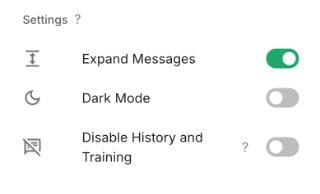
Checking the settings, I find this. If you would like you data to "not be used for training our models" hit the last toggle. But this wipes everything you've done if you leave the console page and comes back. This is a shocker, really. And Stability is therefore unworkable if you have consented images of actors, for example.
The "assistant" has large buttons for Getting Started, Image, Audio, 3D, or Video. I tried the new project route and it went in a circle, best consider those buttons as guides. So I commence by uploading an image of the warehouse wall background. You have to upload into the chat box and then "send" as a chat message. I don't really like this kind of chat interface but if it does what I want, I can live with it.
Uploading the image, or any chat interaction, uses up a credit. Which seems a bit dumb but there we are, now I have 99.
Image uploads
The warehouse wall picture gets added to my working page. It has two buttons superimposed. Reinvent your image and Open toolbox.
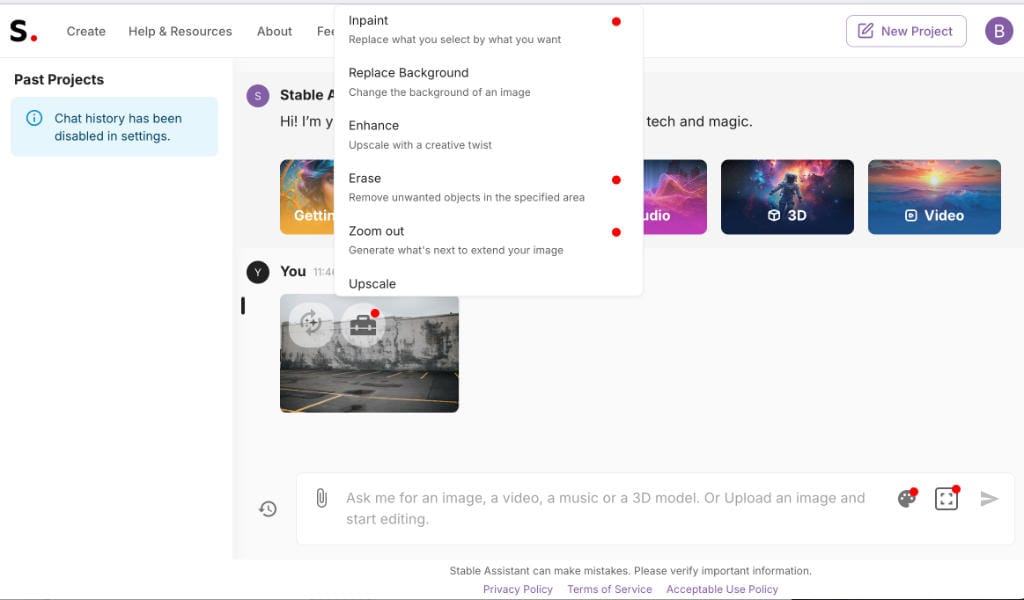
Reinvent has four options.
New image with same structure • New image with same style • Close variation • Sketch to image
The toolbox has an impressive list of functions, perhaps reflecting Stability's roots in image generation, I believe the video features came later.
Inpaint • Replace background • Enhance • Erase • Zoom out • Upscale • Search and Replace • Image to Video • Image to 3D • Remove background • Search and recolor
Inpaint and Search and Replace may be viable to compose shots.
Basic wide shot test, from text
While reviewing so many AI video production tools it became apparent that usually, they have no concept of actual filmmaking shot composition. For each, I'll do a simple text to video creation with this text. No media supplied by me.
Wide shot, of a woman standing in a field. Fixed camera.
It produces a 5s video, this is a screen grab near the start.
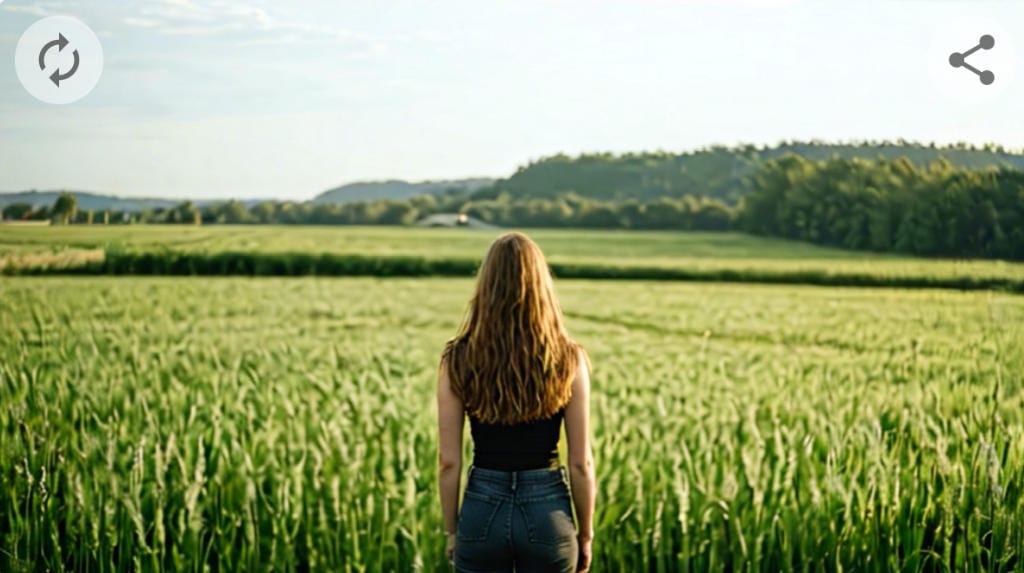
It's a little bit wide, but wide shots are not from the waist up. This is a mid-shot (MS) or nearly a MLS. Definitely not a Wide Shot - that's a fail.
Also the camera moves in a slow pan when I asked for fixed, another fail.
First run, image to video
First up, I'll try Image to Video in the toolbox. The only options are See Examples, Cancel and Confirm. This simply converts a still to a video of the still. It does so at a cost of 30 credits. The video is a few seconds of slow pan along the wall from left to right, with some more wall being extrapolated on the right.
The video has overlay buttons for Regenerate or Share, but no toolbox. So, the only "directable" video is that which is purely from text. I cannot use my own images. Unfortunately, a fail for the seagull fight. But while I am here I will try out some of the image manipulation.
It's not what I ultimately want but I'll try a text generation with the Warehouse background image as a "Style Reference". With the prompt:
Two seagulls fighting over a piece of toast. Fixed camera, wide shot.
It made a passable still image of the seagull fight. The background is a wide shot, but they've filled the screen with the subjects, which is not the wide shot I had in mind.
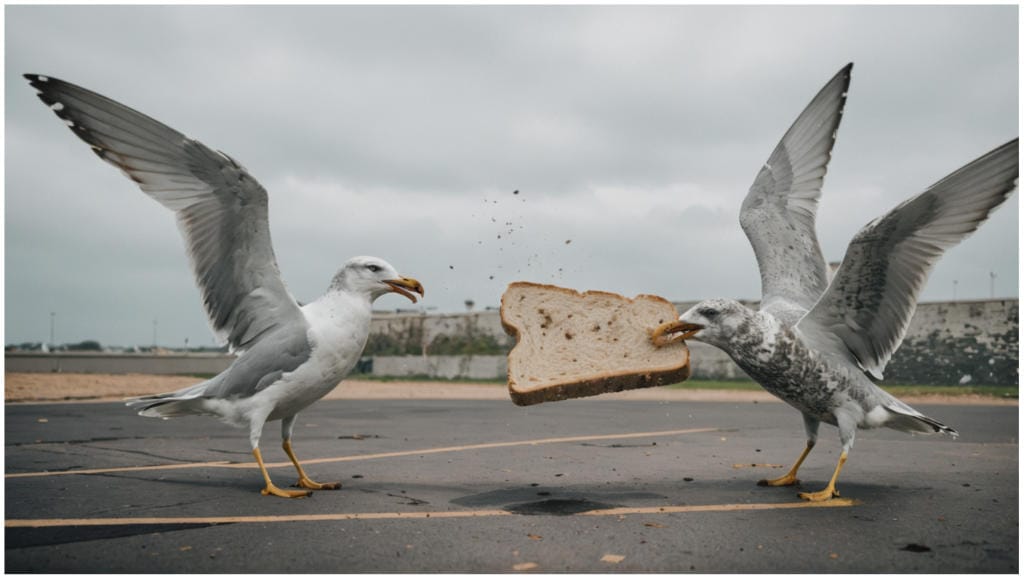
But, I want video so have to be specific:
A video of two seagulls fighting over a piece of toast. Fixed camera, wide shot.
It made a slow motion video of two seagulls sort of floating upwards on either side of a piece of toast. Not a wide shot as such. Slow motion, which I didn't ask for. This is an embedded WEBM video, which might need a desktop browser.
I can't even create a seagull fight based on my precomposed image (a still of two seagulls and some toast with the warhouse wall behind), as there are no video options that make use of a specific image, other than as a "style" to give vibes. The first video run is also the last video run.
Image editing
I've taken an image of a seagull standing on a rock and used the "Remove Background" feature. It works perfectly for a mere 3 credits. My running total is now 42.8 credits remaining.
Sketch to image
This could be juicy for storyboards. Or just cool, so I have to try it. Image generations are around 5 credits per time.
I feed in a rough sketch of three people standing in line. I appreciate that the sketch quality is garbage but unfortunately, Sketch to Image and New Image with Same Structure produces images that are really quite a different composition. For it to be an effective Storyboard processor I need to be able to position things in specific places.
I believe the power of these functions is in the creation of image assets from sketches, rather than the composition of video shots. Which makes sense given the image-generation past. So it's not bad, but not what I am after.
The sketch to image tool is quite nice if you have say a sketch of a creature that you want "drawn". I had a quick go uploading a sketch of a slug creature...
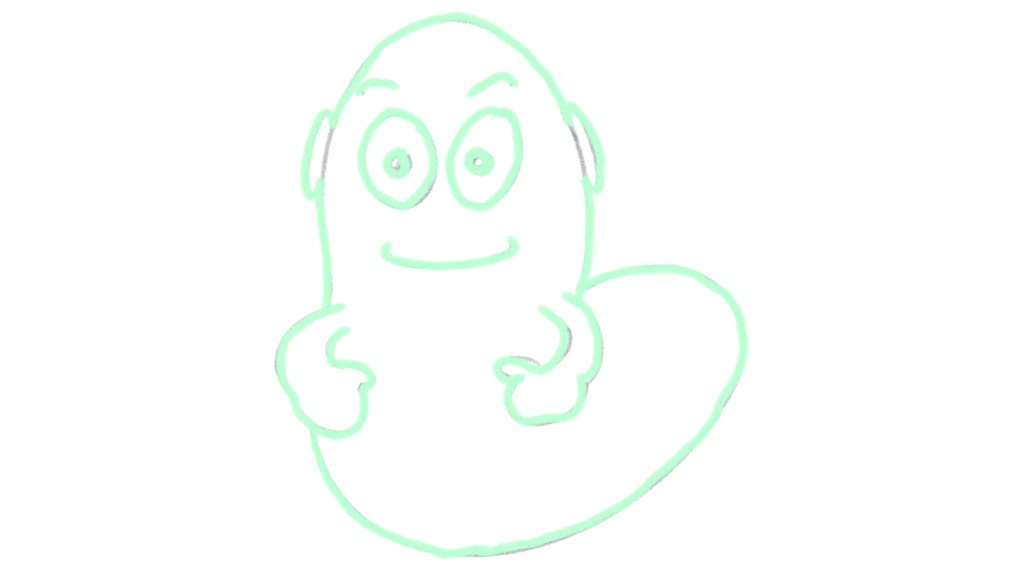
and tried a prompt of "green alien with translucent skin".
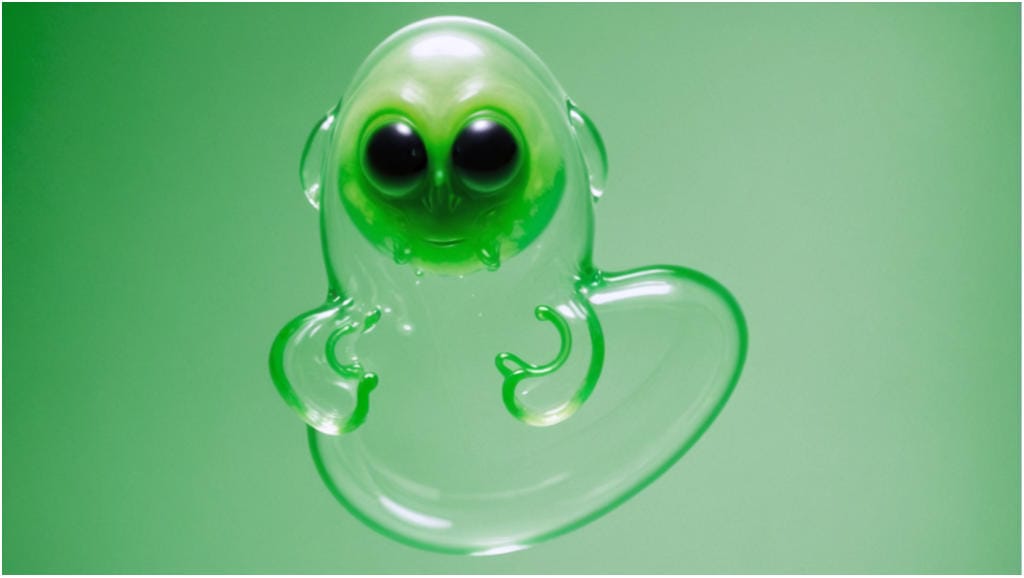
I can't check the actual prompt I used because Stability removes chat history unless you want to hand over whatever you are doing to them to train their AI. Which is a huge red flag if you are working with assets under release such as actor's images.
Wrapping up
Stability is not for me for video production, although with the pace of change that could be different even three months from now.
The image control and manipulation is powerful, and I could see it being part of a future workflow. The image work uses relatively low amounts of credits so a minimal monthly package would get you a ton of processing and image manipulation.
It's a real disappointment that toggling the option to "not feed the AI with your things" also disabled history. If you click away, and click back to the console, it wipes everything.
Stability AI tryout, for ethical video production: Blog post 👇 "Two seagulls fighting over a piece of toast - Stability AI evaluation" #AI #Filmsky techroads.org/two-seagulls...
— TechRoads blog (@techroads.org) March 31, 2025 at 3:44 PM
[image or embed]