
Two seagulls fighting over a piece of toast - Sora evaluation
I'm trying out Sora as part of evaluating a bunch of AI video production products with an ethical lens, including forking over some cash on subscriptions. My test video will be two seagulls fighting over a piece of toast.

A series on ethical film + TV media production using AI tools
I'm evaluating AI tools based on three main criteria.
- Ethical AI, by which I mean I can use my own media as input. Generated content will generally be using media of unknown origin. Also, Sora have come under fire in the past for sexist, racist and ableist bias in their generated content.
- A tool where I can perform shot composition
- Bonus - ability to feed in storyboard sketches to give shot structure
I'd need a lot more to create film, character consistency, lip sync, audio etc but the above are the fundamentals.
This post is free of all YouTube videos. Woohoo!
Seagulls and Toast
I'm going to test a number of products, including forking over some cash on low level subscriptions. My test video will be two seagulls fighting over a piece of toast, which is the opening scene of an indie film I'd like to make as a start.
Sora
Part of Open AI and included with Chat GPT, Sora features Remixes, such as changing a piece of furniture, Recuts to extrapolate-edit using favourite frames, Storyboarding to "edit by description" more than one shot, create seamless Loops, Blending/overlaying two videos.
Cost structure: for Chat GPT at $US20 a month, likely suitable level for most users. There is a premium $200pm option. There is no free trial, if you want to use it you're forking over at least $US20 plus tax.
| Aspect | Info |
|---|---|
| What is it? | Generate or remix AI videos, and now images |
| Free tier | No. |
| Paid tiers | $US20pm plus local tax for ChatGPT plus, which includes Sora. Just abandoned credit system. For 1080p, 20s vids and exporting without watermark you'll need the $US200 tier. |
| Ethical | Not so good. It will grudgingly take a single image as input to video generation. But you can composite images in the new Image tool. |
| Shot comp | Does understand shot types but does not always do what it's told. Does not understand what a real Wide Shot is. |
| Storyboard input | Kind of. Providing a rough sketch can be used as structure for a redrawn picture. |
| Ownership | OpenAI |
| Strength | Makes nice enough videos. Now has unlimited generations. Solid image generation/manipulation. Includes paid Chat GPT. |
| Weakness | Ask for two seagulls, get various. Doesn't do audio. Suspicious legal past. |
| Generation speed | Fast enough, usually a few minutes. That might change with the recent switch to unlimited generation. Blends took a long time, 30m+ |
Registration
A few problems, the registration is actually with OpenAI of which Sora is an app. It sends a confirmation code by email, which for me took too long, leading to the login sequence timing out. After that I had errors from the login screens. I tried their support which was the usual pointless suggestions about clearing your cache etc.
I did eventually get in a few days later when something reset at their end. Accessing the Sora dashboard reflected the credits automatically.
Testing objectives
The two tests I will do:
- A basic test of shot composition with a text to video request of a Wide Shot
- Creating a video of two seagulls fighting over a piece of toast based on a single image of a warehouse background, Sora generating the seagulls and toast.
- Creating a video of two seagulls fighting over a piece of toast based on a single image that I pre-composed with those elements in photo editing software.
Navigation to get started
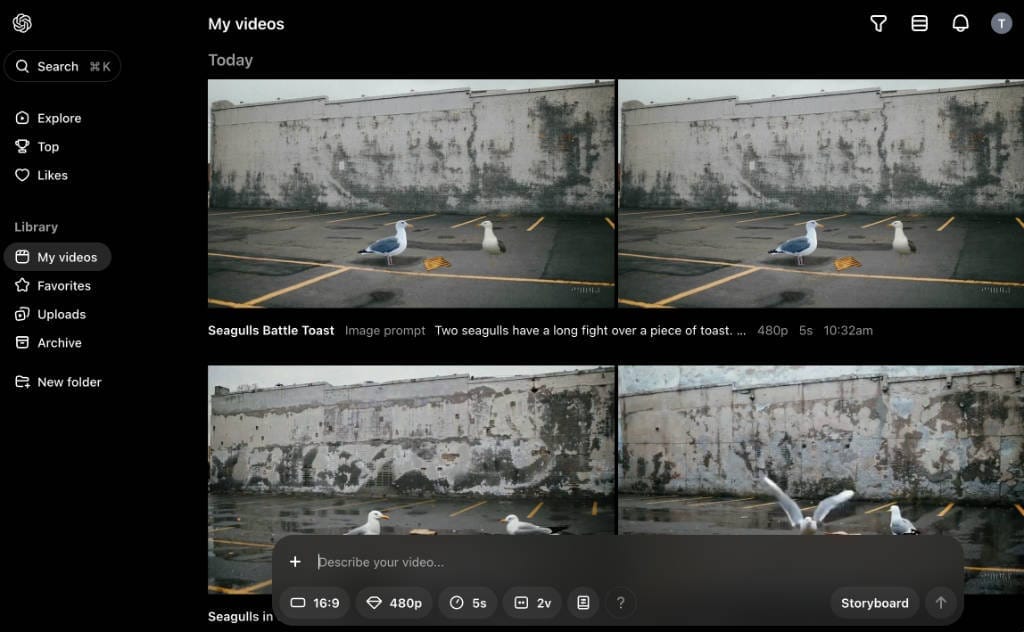
It's a simple interface with a left sidebar. There's only one generation option, My videos. [ Now My Media ] Selecting that will bring up a main screen with all your previous generations, and at the bottom, the "generation bar". It's nice and simple.

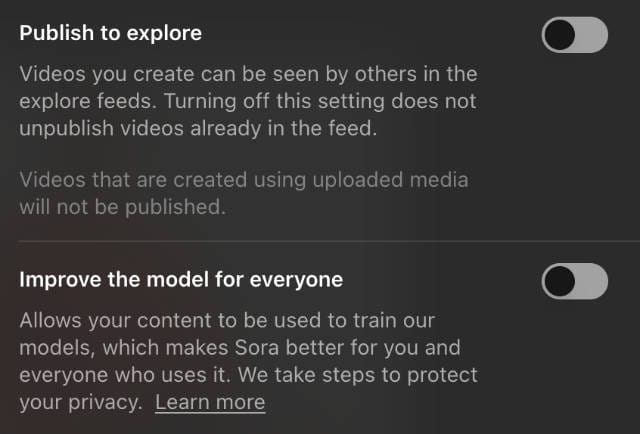
Before starting, there is a profile/settings option at the top with a couple of notable options that are on by default. You may or may not wish to disable these.
Uploading images
Sora will allow you to upload one image for the AI to use. When doing so there is a huge disclaimer to agree to. I'm suspicious by nature about this.
Basic test of shot composition - a Wide Shot
During my many reviews of AI video producing apps, it became apparent that many don't understand basic shot composition, so I'll start with a basic test.
Wide shot, of a woman standing in a field. Fixed camera.
It produces a 5s video, this is a screen grab near the start.
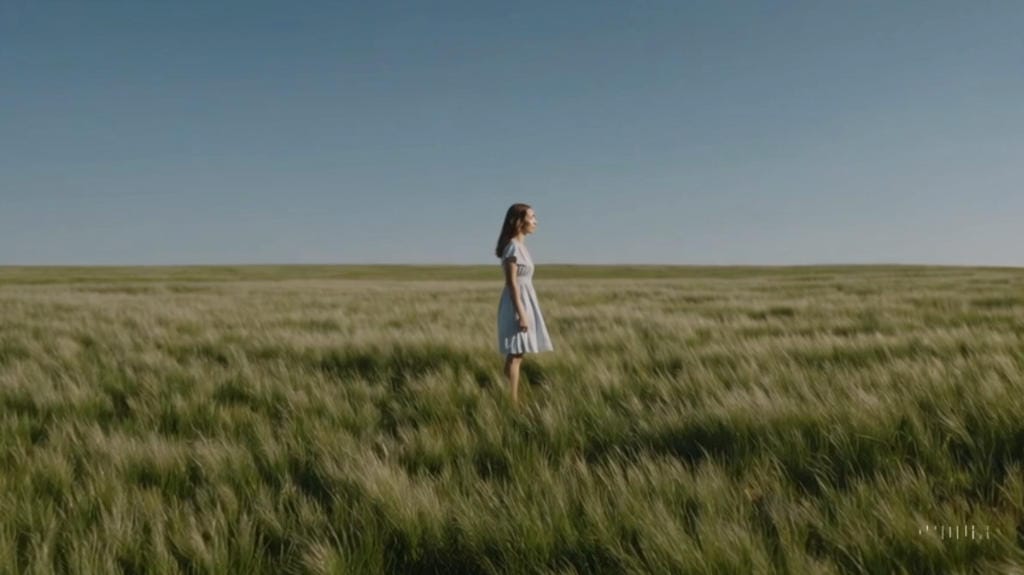
It is a Wide Shot, so a success. Unfortunately, later on when providing images it would not frame it with a smaller subject like this, so later it bacame a fail.
The camera zooms in, so it ignored the "fixed camera" instruction (also tried Static Shot) - a fail.
First video generation
My first run I uploaded a picture just of the warehouse background, then provided this prompt.
Two seagulls fight over a piece of toast. In the background is a warehouse wall. The camera is fixed.
The first run was pretty awful, as is often the case. Encouragingly, the warehouse was the background and the camera was fixed. But then the physics went out the window.
Sora provides two videos on each run, the concept being that you select the best of the two.
The first sample didn't even have toast, just some seagulls running around. Three at first, then two merged into one, then they left the screen and another one wandered in from the left. All the lights along the top of the wall turned into birds that wiggled. All in all, awful.
The second sample was a little better, but these tools really seem to struggle with quantities. If I ask for two seagulls, I want two seagulls, dammit! As you can see there are two, then there are three, then they all merge into one. But at least there is toast.
Here's an embedded WEBM video [may need desktop browser], reduced bitrate.
Second video generation
This time, I'm going to use a very rough precomposed image with the background, seagulls and toast already in it. Note that this did involve hacking around in photo editing software, which I am unlikely to want to do for every shot if I was really making a film or TV episode.
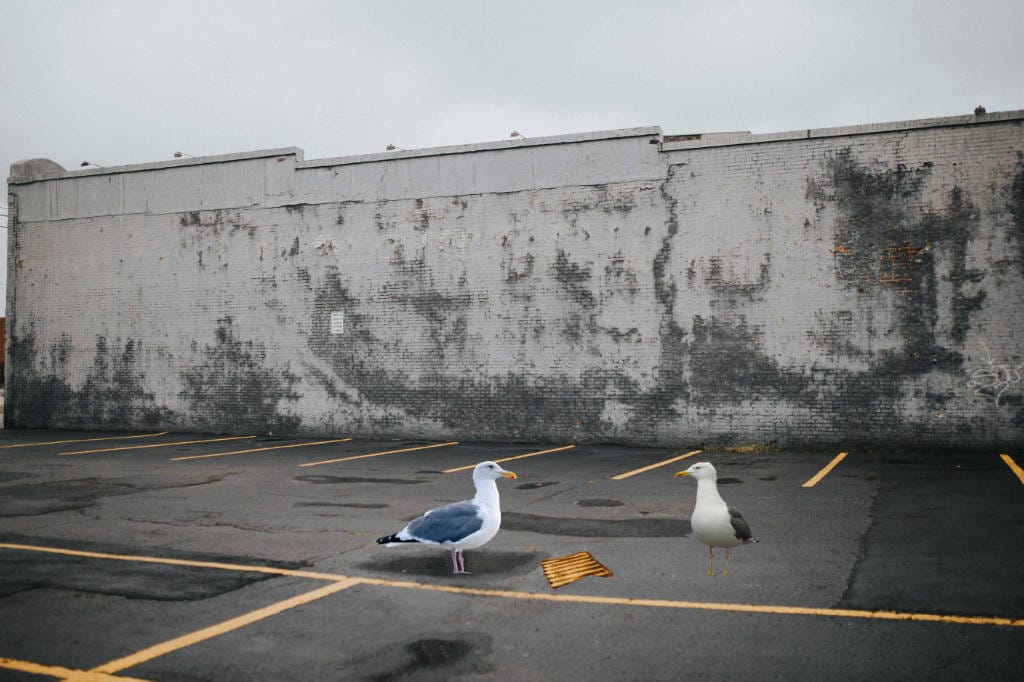
I use the same prompt.
Two seagulls fight over a piece of toast. In the background is a warehouse wall. The camera is fixed.
Sora does use the provided wall, birds and toast but that's about the end of it. It generates two videos.
The first sample has two birds, then three, then two, then they leave the frame and it's empty, and the toast disappears.
The second sample starts out ok, then the two birds merge into one, and it kind of walks backwards and stands there. Here's that video.
So not a stupendously good result.
Armed with no credit limit, I thought I would try their "remix" feature. It did allow things like changing shots, but also reimagined the original.
I went back to the above generation and noted that the birds merge into one as some sort of change in the fight, so with an "edit prompt" I ran it again, this time specifiying a "long" fight, thus.
Two seagulls have a long fight over a piece of toast. In the background is a warehouse wall. The camera is fixed.
There were two results, the first bogus, but the second as below.
So the fight over the toast itself is not as good, but at least there are now two seagulls for the whole clip. Adding the long description was enough to alter the physics. I'll take it as a small victory. With more prompt fiddling there is hope.
Third video generation - Blend
As an unplanned extra, I tried out their "Blend" function, in the hope it allowed a level of compositing, similar to how Runway does it. The Blend demos are all about transition from one subject to another, so expectations are low.
I prepared two videos, one of the background wall doing nothing, and one of a seagull just standing there. The objective - to composit the two; get the seagull standing "superimposed" on the wall shot. I used Blend options first of mix, then custom with an equal 50% of both. Mix was more of a transition, so not right.
Sora couldn't create a blank or green screen background for the seagull. These are screenshots of the two videos I tried to blend. In both, nothing happens.
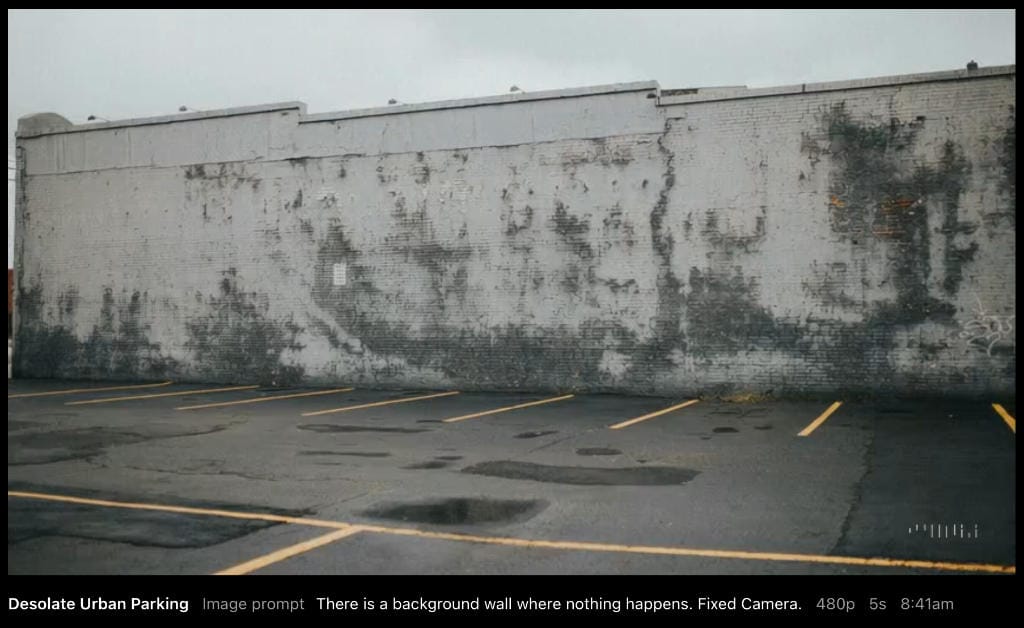
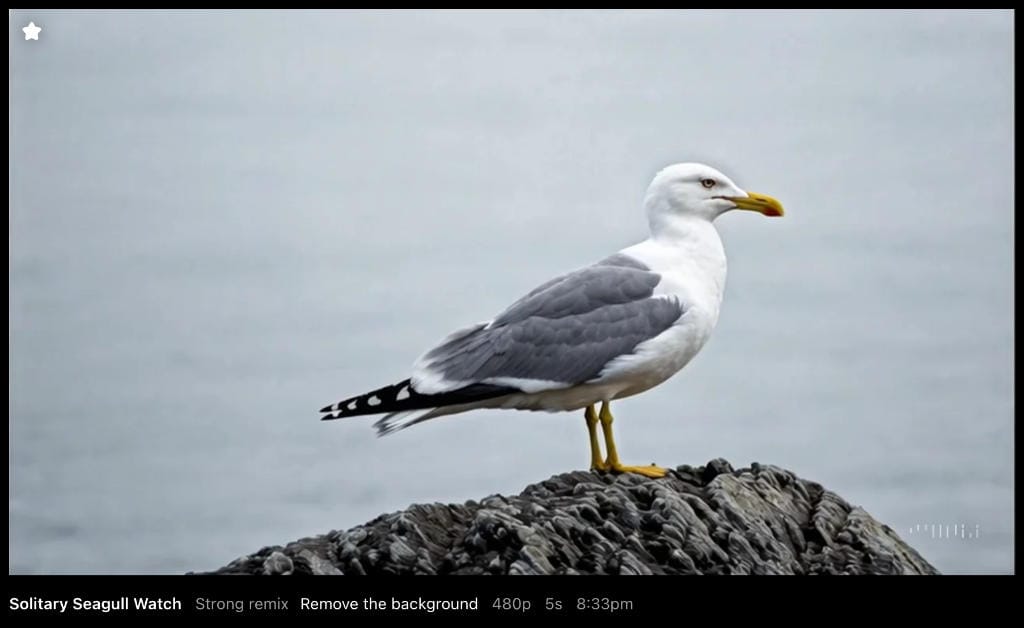
Blending queued a long time, over an hour. Here is the best of the two resulting videos in WEBM format, the custom blend.
It superimposed the seagull adequately, but then totally replaced the background with a very different generated wall. So that's a fail.
Test 3 - Storyboard check
For my bonus wish about taking a storyboard frame as input, I loaded up a crappy sketch of a wide shot frame, three people standing in a queue.
Now that they have dropped image generation, I asked Sora to use the sketch as structure to redraw in line art. And you know what.. it kind of works.
Image precomposition
The pace of change is fast. Since I first wrote review a few days ago, Sora have added an entire built in image generator. I gave it a try using a few images I provided. After some retries I gave it these images and this prompt
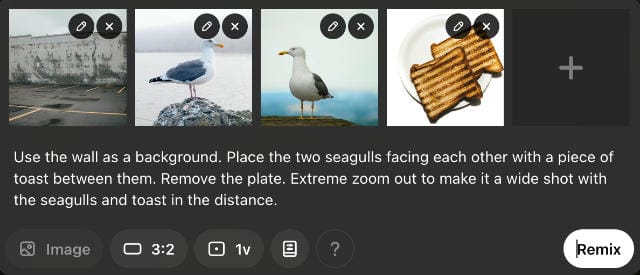
It resulted in the top image after I added "Extreme" to zoom out and "in the distance":
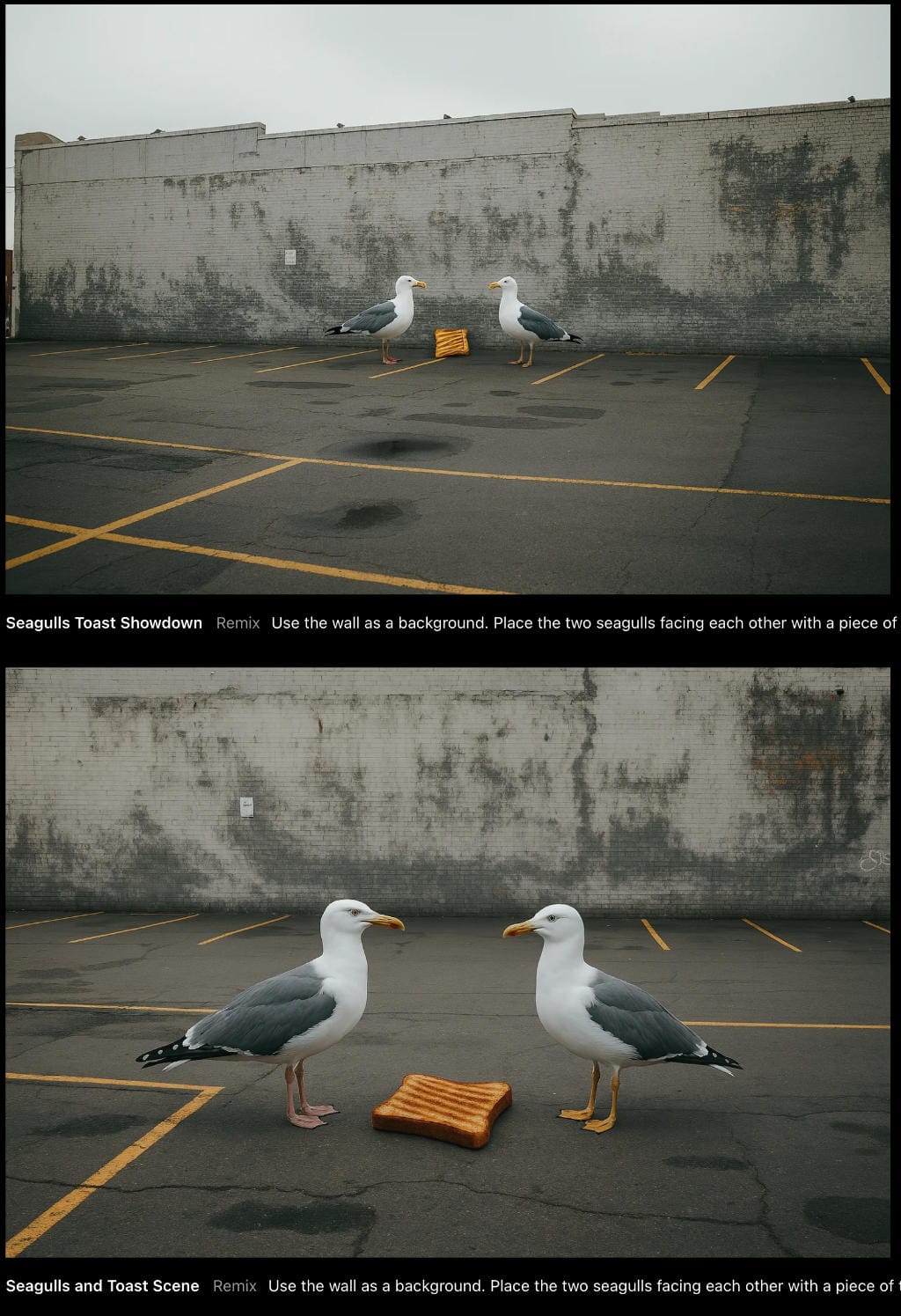
I got the wide shot framing I wanted for the final shot (at the top), but the toast looks a bit of a weird size and angle. Still, it's not bad.
However, look at the bottom image. The gulls and toast are clear, the edges merge seamlessly, and the toast is even tipped back along the 3D axis to look right as it lays flat on the ground.
Hats off Sora, the image comp - from my provided images - is now very good.
Wrapping up
I started a little negative on Sora, but now that they've dropped the credit system it allows you to truly evolve your prompts to drive the AI how you want with lots of trial and error. As you can see a single word or phrase can make quite a difference to their physics engine.
It does seem to understand shot composition commands, such as medium shot, close-up etc. BUT I did run some other unrelated generations and it refused to fix the camera, waving it around no matter what I tried. A simple ability to scale the size of the subject, or "move it further away from the camera" would have been a massive bonus.
No longer true: [ I have to stress that I had to manually precomp an image to get anywhere near ethical in my personal context. OpenAI use DALL-E for image compostition*, but it's text only. You can't BYO images to compose. For a real film or TV production it's unlikely I would manually precomp each shot for the whole production. It would take a lot of effort and kinda defeats the purpose of using an AI tool. ]

The new Image generator also allowed me to feed it a rough sketch, and use it as structure to redraw in line art. It's got quite a bit of potential as a storyboard workflow. I am impressed with the Image tool.
If you are willing to put in the time to evolve prompts, it's a good contender, though the video physics are still choppy.
With the introduction of unlimited runs, now there are occasional generation overloads, resulting in long wait times.
I can't stress enough the pace of change here, what you see in this evaluation is March / April 2025. Even while writing this, there were two massive changes, dropping of credits and release of a new Image generator.
Sora evaluation - Two seagulls fighting over a piece of toast Blog post 👇 This skeet is embedded in the post for comments #AI #filmsky techroads.org/two-seagulls...
— TechRoads blog (@techroads.org) March 24, 2025 at 11:23 AM
[image or embed]