
A move to truly private web analytics - self hosting Matomo with Docker, Traefik and MariaDB
Moving away from Google Analytics has been on my to-do list for quite a long time. As we all know, if you are not paying for the product, you are the product. In the case of GA it's worse, everyone that visits your web site becomes the product as well, whether they like it or not.

Moving away from Google Analytics has been on my to-do list for quite a long time. As we all know, if you are not paying for the product, you are the product. In the case of GA it's worse, everyone that visits your web site becomes the product as well, whether they like it or not.
I have been around the houses to find a good open source product with a strong Docker build reference, and Matomo (formerly Piwik) stands out. See https://hub.docker.com/_/matomo
Planning the Matomo build

I already have a "production" Lightsail web server hosting some ghost, and an ancient LAMP site with containers, and I am assuming the 1GB memory it has will have enough headroom. However, being the kind of guy that prefers not to try and fix broken Docker stacks while a production site is down, I am going to run it up first on a test server and see what the resource usage is out of the box. If following through this article, my build post here should get you to a good starting position.
I have a t3.micro EC2 test instance with just Traefik and default Ghost V2 containers running. I am booted up and at the starting blocks with 3.4GB disk and 275MB memory used.
Installing the database - MariaDB
Matomo assumes a MySQL compatible DB will be available, so let's set that up first.
I note to myself that I haven't documented yet basic database setup under Traefik so here's a good place. I am going to stash the data volume on local disk, which must be set up before first launch. If you don't externalise the data, container replacements will drop the database... bad.. bad.
First I create a subdirectory under my /data for the database, and one for Matomo.
$ cd /data
$ mkdir mariadb1 matomo
Then I append this entry to my Docker Compose file. I am using the official MariaDB container image: https://hub.docker.com/_/mariadb
        mariadb1:
                image: mariadb:10.7
                command: --max-allowed-packet=128MB
                restart: unless-stopped
                networks:
                        - internal
                volumes:
                        - /data/mariadb-01:/var/lib/mysql
                labels:
                        - traefik.enable=false
                environment:
                        MYSQL_ROOT_PASSWORD:
                        MYSQL_DATABASE:
                        MYSQL_PASSWORD:
I have chosen to suffix is with "10". This will allow it to automatically update the image (I have a cron job for this) within the version 10 major release tree, but not above such as to a version 11. At the time of writing the actual version pulled will be 10.4.7.
In order to pass the database parameters without hard coding in your config files, it will need to be set as an environment variable. You might need to play around with this, but by adding the entries as per the above "environment", such as export MYSQL_ROOT_PASSWORD=your-great-password to the end of my ubuntu user's .profile file, it works for docker compose. You'll also want to set the variables from the command line for manual runs.
Note also my article on reducing database memory use.
Docker networks
In my case this is also the first use of an internal network, so I have to add an entry for internal earlier in the file, as such.
networks:
        web:
                external: true
        internal:
                external: false
                driver: bridge
I run the docker compose command to bring up the database, which is a success.
$ docker-compose up -d
Creating network "traefik_internal" with driver "bridge"
Pulling mariadb1 (mariadb:10)...
10: Pulling from library/mariadb
35c102085707: Pull complete
251f5509d51d: Pull complete
8e829fe70a46: Pull complete
6001e1789921: Pull complete
6bc078a5dcb0: Pull complete
4be519c4f814: Pull complete
647855e9b65b: Pull complete
e44db8874b85: Pull complete
7c6f5f838eb7: Pull complete
2c6ac0d09e1d: Pull complete
c7389e5ddd3a: Pull complete
180f4bcf5795: Pull complete
24fd5409f96d: Pull complete
e75284bba448: Pull complete
Digest: sha256:6f1faac314874361a45fc946c37ba5c597ecba647666156bde783ef088d1c184
Status: Downloaded newer image for mariadb:10
Recreating traefik_traefik_1  ... done
Creating traefik_mariadb-01_1 ... done
Recreating traefik_gblog_1    ... done
Installing the analytics container - Matomo
The Matomo image gives a choice of Apache or Nginx / FPM. In this case I will go for the convenience of Apache.
        matomo:
                image: matomo:3-apache
                restart: unless-stopped
                links:
                        - mariadb1:mariadb1
                volumes:
                #      - ./config:/var/www/html/config:rw
                #      - ./logs:/var/www/html/logs
                        - /data/matomo:/var/www/html
                        - /data/matomo/php.ini:/usr/local/etc/php/php.ini
                environment:
                        - MATOMO_DATABASE_HOST=mariadb1
                        - VIRTUAL_HOST=
                labels:
                        - traefik.backend=matomo
                        - traefik.frontend.rule=Host:matomo.yourdomain.example.com
                        - traefik.docker.network=web
                        - traefik.port=80
                networks:
                        - web
                        - internal
If you are successful you will be greeted by the Matomo configuration screen, by visiting the traefik URL, the example here being: https://matomo.yourdomain.example.com
Matomo domain choice
Consider that your users might be specifically looking at privacy features when visiting your web site. The Matomo domain called by your site will be visible to switched on users.
You might want to name it to be clear that it is locally hosted or at least support whatever your privacy postulation says. For example, if you have a web site called mymainsite.com, you might want to host on a subdomain such as analytics.mymainsite.com or if you are planning on using it for multiple sites (and why not), a shared root domain such as analytics.myorganisation.com.
For this techroads.org site, I already thought about it when rolling up my own local comment system on Commento, so in line with my choice of commento.privateapps.techroads.org, for analytics I will use matomo.privateapps.techroads.org.
Installation footprint
My disk is now showing 4.8GB, although there was one extra image downloaded. Memory usage is 390MB. Effectively the resources used for this deployment were up to 1.4GB disk and 115MB memory. This should comfortably coexist with the other containers on my production server.
Matomo configuration
The configuration screens will take you through 8 steps for configuration validation, naming and database connectivity. At step 3, it's looking for the root user in order to configure the DB.

At step 5, it's a custom super user for your application login. Use your imagination for something more creative for the name than "admin", and use a long password. You might want to look into some sort of further access wall for the URL, I will be. If nothing else it will stop the bots eating your bandwidth.
Step 6 allows adding of your first web resource. Step 7 gives you some javascript code to add to your site. Step 8 finalises and allows some advanced privacy selections, allowing you to be nice, honouring do not track and obfuscating IP addresses.
I am calling this a success, blowing away the test server and installing a production version. After creating a server snapshot, and backing up the docker compose file locally, I install to production. Nicely illustrating the value of doing all the experimenting on a test server beforehand, it goes without a single issue and I am straight to the config screens.
Now I can eagerly start replacing the GA code on my many small sites. For some, I will run with both simultaneously for a while for a confidence factor, and to see if the results are aligned.
Configure Archiving
Before making use of the GUI in anger, you will need to set up automatic archiving. There is a Matomo document here, and I have a how-to section for a Docker environment at the bottom of this article.
Page load analysis with Matomo enabled
The interesting view here for me is the connections one. With both GA and Matomo, total TechRoads article page load is around 2.4s, going to 8 domains, as shown. There is a total of 496KB in 26 requests.

If I remove GA / the borg, I get a sample load time of 1.91s. The domains called are down from 8 to 5 which is very nice.

I would like to now be able to claim that all the tracking is local, however without really knowing the tracking profile of the remaining third party domains, letsencrypt.org, and jquery.com - that's for another day!
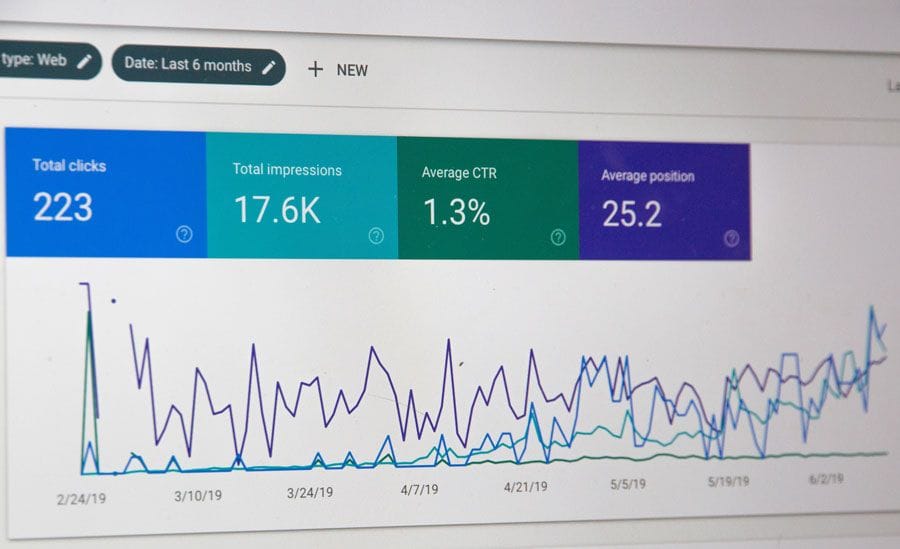
Header image courtesy of Web Hosting on Unsplash.
Retrospective blog post to use BlueSky for comments: techroads.org/move-to-trul... #Matomo #Docker
— TechRoads blog (@techroads.org) Feb 22, 2024 at 11:33 am
[image or embed]